PhotoMapper v0.2 GPS Import Help
Warning: Undefined variable $lang_hst_hdr in /home/copikss/public_html/software/photomapper/helpv02_gpsimport.php on line 73
Select Import GPS Data in the File menu.

Find and select an hst or gpx-file in the file dialog that appears.

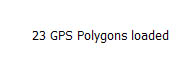
When GPS data has been imported the text in th GPS widget will change from No GPS data loaded to XX GPS Polygons loaded where XX is the number of "Runs" successfully loaded from the file.
|

